Aletophany Player Android
Your video library.
All in one app.
Videos worth coming back to. Collect links and files, organize your playlists, and watch at your own pace.
For Android · Links, files, playlists
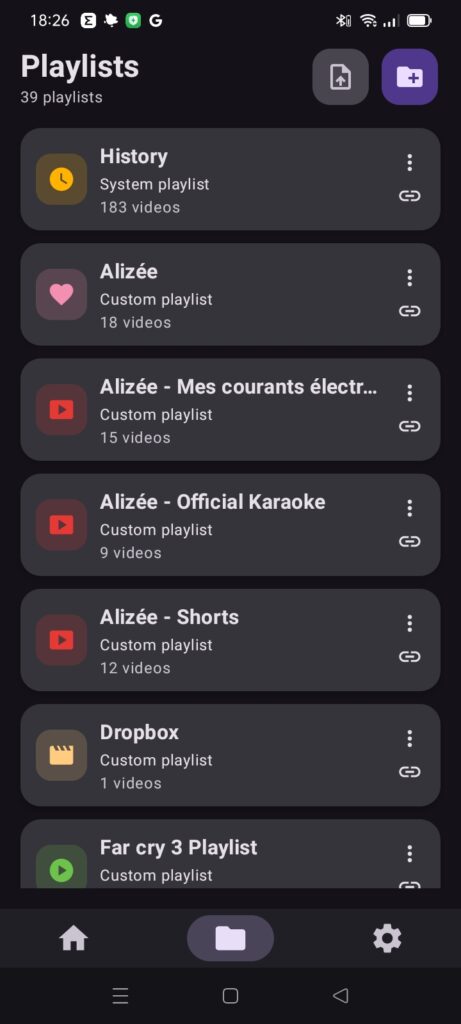 Aletophany Player 01 / Library
A place for every video
Build playlists and arrange them in folders — by topic, creator, or mood.
Links and files together
Add links from different sources and open videos stored on your device.
Come back to your videos
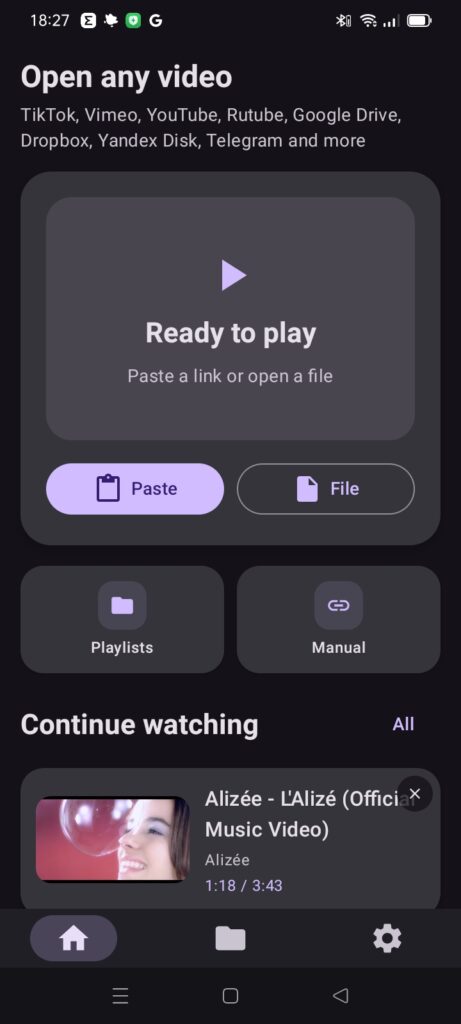
Find previously watched videos in History and resume from a saved position where supported.
Make your library yours
Edit titles and covers so the video you want is easier to recognize and find.
Inside the app
From a link to your own collection
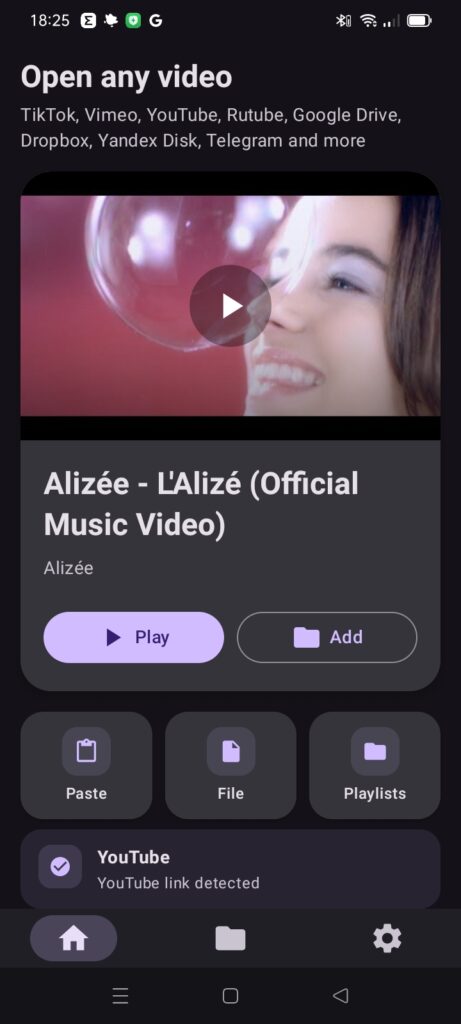
Real screens from the player. Select an image to take a closer look.
Getting started
Find it. Save it. Watch it.
- 01
Find a video
Copy a link or send it to the player with Share. You can also open a file from your device.
- 02
Save it to a playlist
Add the video to a collection so you can find it again.
- 03
Watch at your own pace
Open your library and choose what you want to return to.
Sources
Different sources. Your own order.
The player works with different types of sources. Whether a particular video plays depends on the service, format, and access settings. Support does not mean every link can be opened without restrictions.
Good to know
A few answers
Can I open any video link?
Not every link. Playback depends on the source, format, and access to the video. Private, deleted, or platform-restricted videos may be unavailable.
Do I need an internet connection?
Yes, for online videos. Files already stored on your device can be opened locally. Saving a link to a playlist does not download the video.
Is my playback position always saved?
The player supports resuming playback, but availability depends on the source and playback method.
Is ChatGPT connected already?
No. ChatGPT integration is a separate development effort. The published Google Play version works as a standalone player.
Start your video library
Start with one video you want to keep.